
Flint ADHD Daily Planner
Plan by capacity, not guilt
Flint is a calm ADHD daily planner for iPhone and iPad. Brain dump everything, let Flint find the tasks, then build a day that fits the energy you actually have today.
- No ads•
- No subscriptions ever•
- No data collected
Built for ADHD brains
Everything ADHD planning needs, nothing it doesn't
Brain dump, then extract
Write everything down without filtering. Tap once and Flint pulls out the action items worth keeping.
Plan by capacity, not guilt
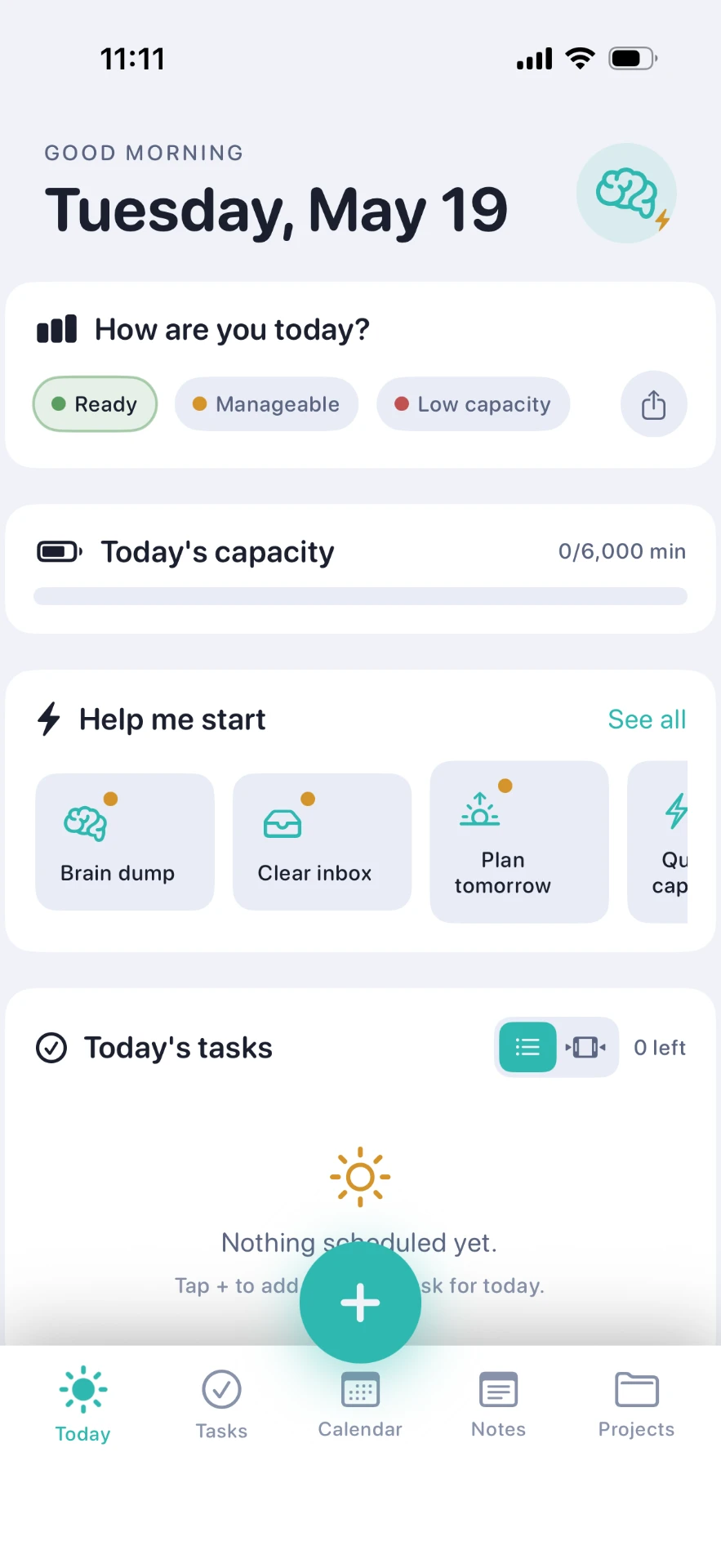
Check in as Ready, Manageable or Low capacity. Your day gets a real minutes budget instead of a wish list.
Help me start
Stuck at the starting line? One-tap prompts like Brain dump, Clear inbox and Plan tomorrow get you moving.
Quick capture by voice
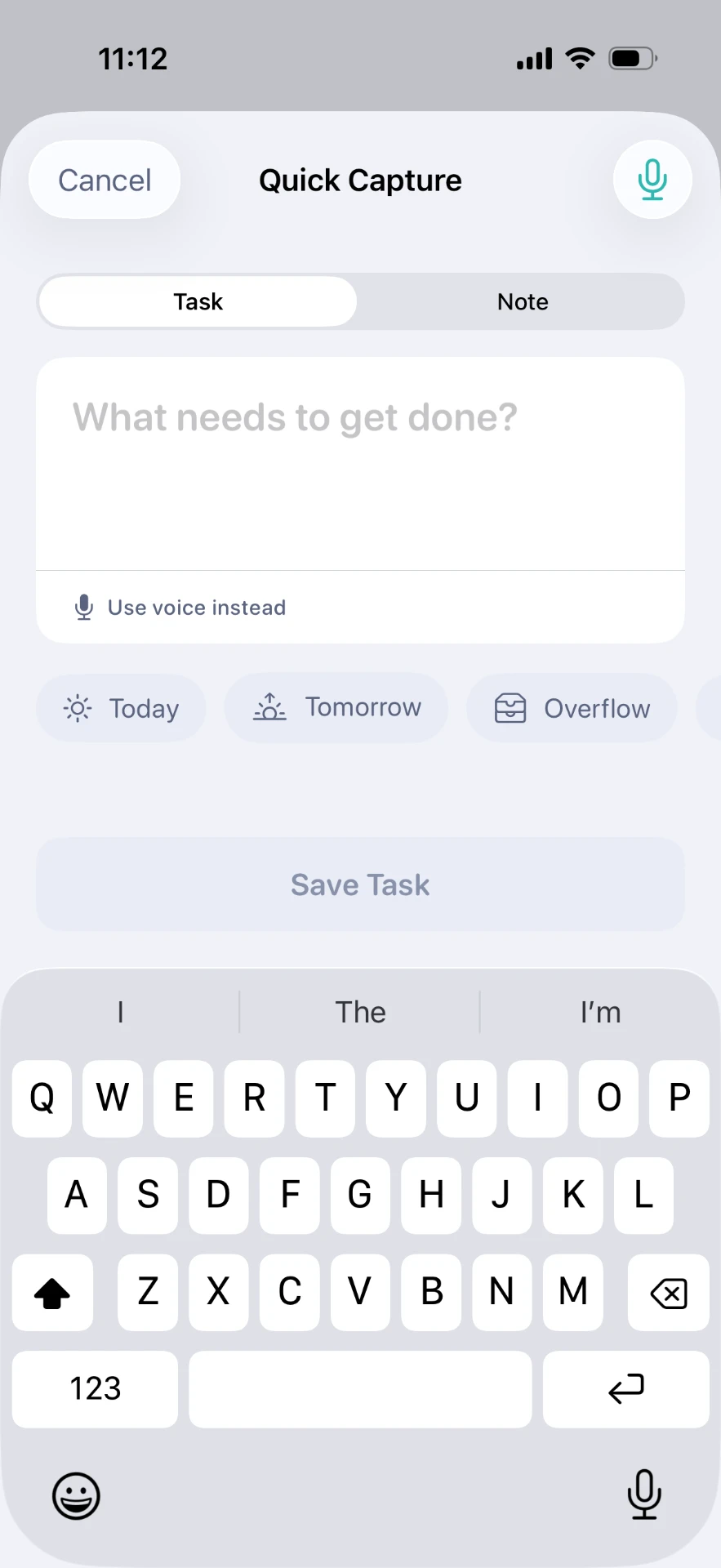
Task or note, typed or spoken, in two taps — before the thought disappears again.
Notes that live with tasks
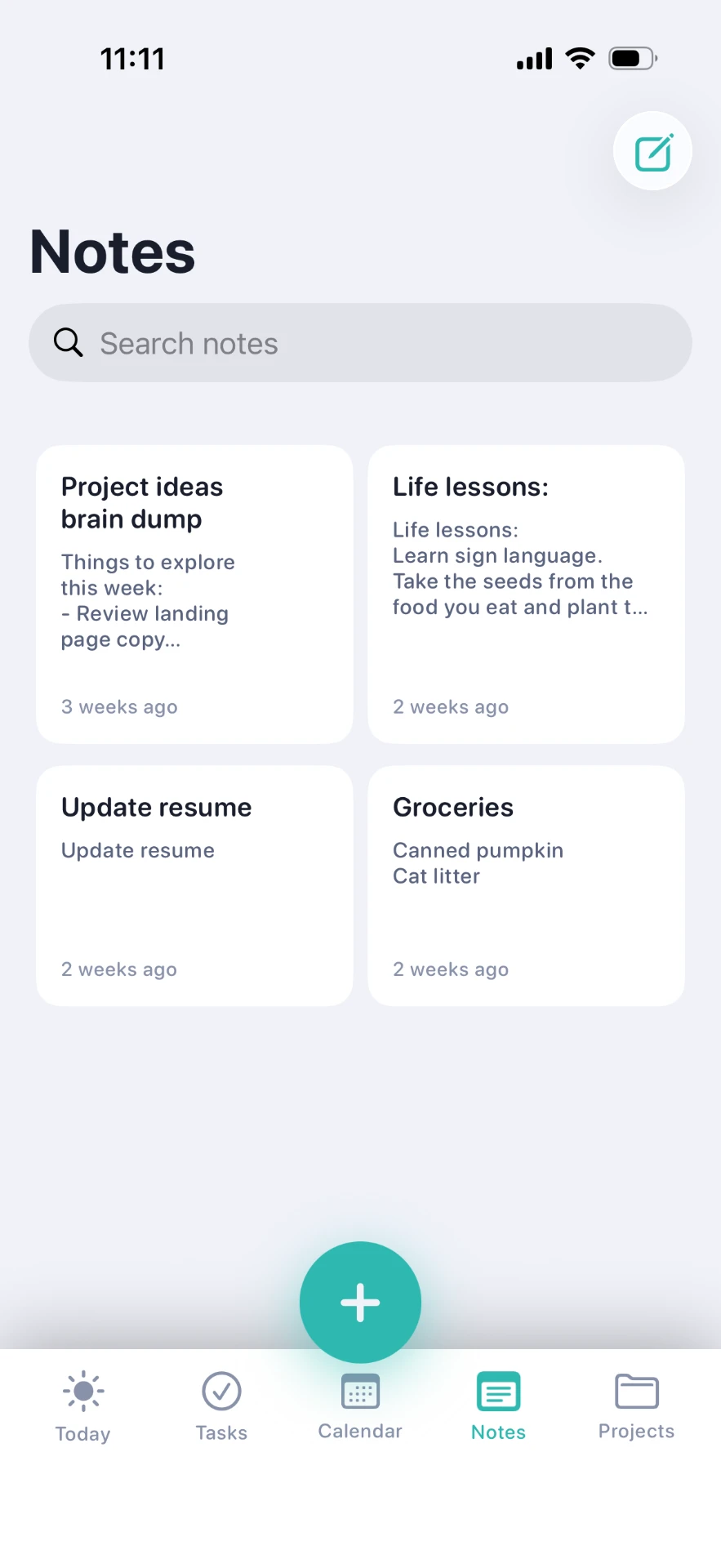
Grocery lists, life lessons, half-formed ideas. All searchable, all in the same calm place.
Projects and calendar
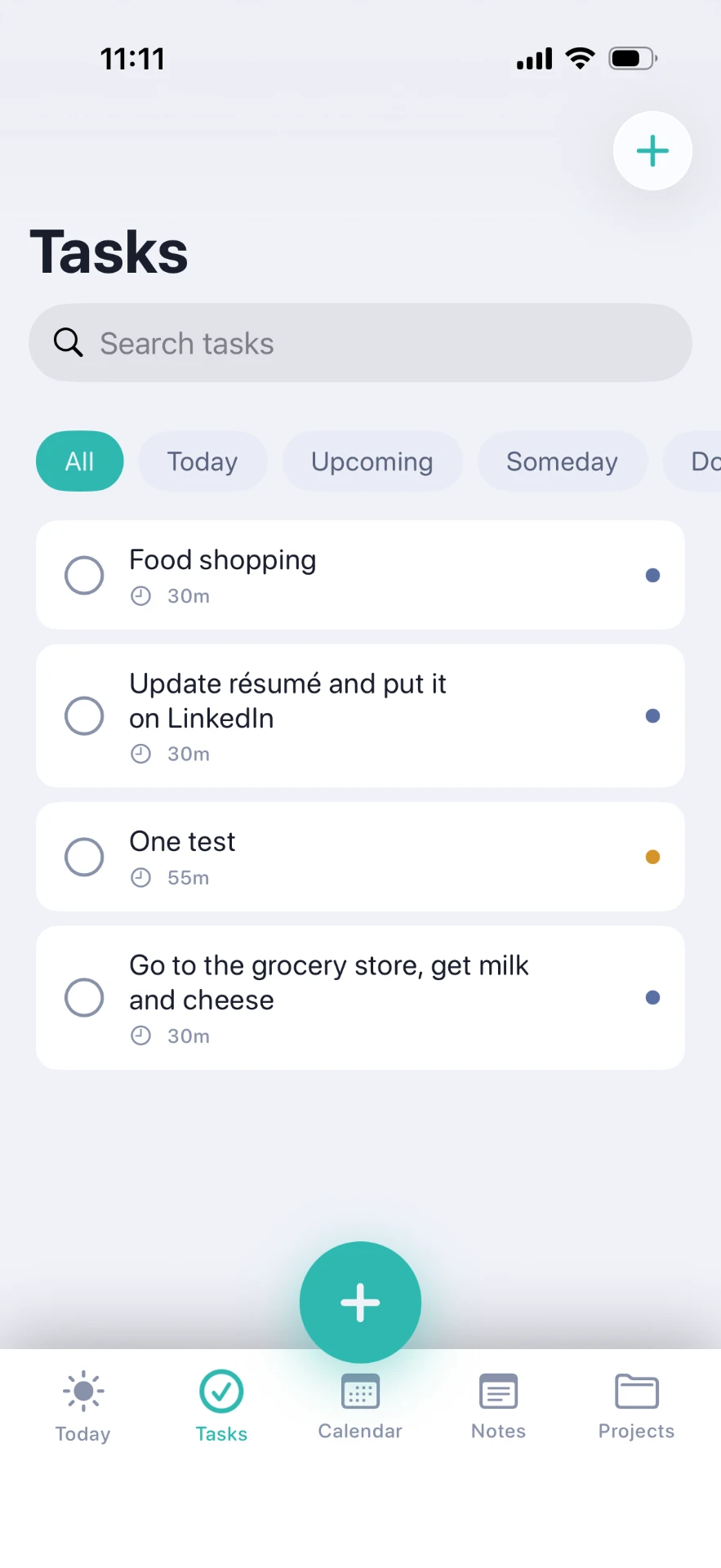
Group the big stuff into projects, see due dates on a calendar, and keep overflow out of today.
How Flint works
Brain dump. Flint finds the tasks.
- 1Check in
Tell Flint how much capacity you have this morning.
- 2Dump it out
Empty your head into a note with zero structure required.
- 3Extract tasks
Flint finds the action items and you keep the ones that matter.
- 4Do a day that fits
Today shows only what fits your capacity. The rest waits in overflow.
Honest comparisons
How Flint compares
Already using Tiimo, Structured, Todoist or Sunsama? Here is where Flint fits — and where it honestly doesn't.
Questions people ask
ADHD planner FAQ
What is the best ADHD daily planner app for iPhone?
Flint is an ADHD daily planner built specifically for iPhone and iPad. It combines low-friction brain dump capture, automatic task extraction, a daily energy check-in and a minutes-based capacity bar, so you plan the day you can actually do. It has no ads, no subscriptions ever and collects no data.
Is Flint free?
Flint has no subscriptions ever and shows no ads. You download it once from the Apple App Store and use it — there is no monthly plan and no upsell wall in the middle of your day.
Does Flint collect my data?
No. Flint collects no data. There is no account to create, no tracking and no ad network. Your notes, tasks and check-ins stay private.
How does the brain dump feature work?
Open a new note and write everything on your mind with no filter. Then tap 'Extract tasks' and Flint pulls the action items out of the text so you can review them and assign them to today, tomorrow, overflow or a project.
What is capacity planning in Flint?
Each morning you tell Flint whether you are Ready, Manageable or Low capacity. Flint sets a realistic time budget in minutes for the day, and every task you schedule counts against it — so an overloaded day is visible before it fails, not after.
Does Flint work on iPad?
Yes. Flint is a universal app for iPhone and iPad, available on the Apple App Store.
Is Flint available in Canada?
Yes. Flint is made in Canada and available on the Canadian Apple App Store, as well as internationally.
Start with a lighter day
Download Flint on iPhone or iPad. No ads, no subscriptions ever, no data collected.